

Best overall for inquiry response: VenueX. Best for event-sales coordination: Tripleseat. Best for hotel group sales: Event Temple. Best for a general-purpose sales pipeline: HubSpot CRM. This 2026 venue sales software guide separates answering inquiries and booking tours from managing the records and work that follow.
- VenueX is the best venue sales software here for automated inquiry response, follow-up, and tour booking.
- Tripleseat suits event-sales coordination; Event Temple suits hotel group sales; HubSpot CRM suits general pipeline management.
- Choose around your sales bottleneck, not the longest feature list.
- Test inquiry handling, staff handoff, and reporting before committing to a platform.
Why this matters
Venue sales software covers several different jobs. Answering a couple's first question is not the same task as preparing an event proposal, tracking a hotel group opportunity, or reporting on a sales pipeline.
That distinction decides the shortlist. If inquiries sit unanswered, start with response and follow-up. If salespeople lose track of proposals, start with opportunity management. If the sale is already signed and the difficulty is execution, you need to evaluate event operations separately.
For your 2026 shortlist, name the broken step before choosing the software. A system that organizes records does not automatically solve an unanswered inquiry.
What makes the best venue sales software?
Use these criteria before comparing product names:
- Inquiry handling: Check what happens after an email, text, or website inquiry arrives. Distinguish a receipt confirmation from a useful answer that moves the conversation forward.
- Follow-up ownership: Identify who sends the next message, what triggers it, and when it stops. Your team should not have to guess whether someone else has replied.
- Sales-stage fit: Decide whether you need inquiry-to-tour support, proposal management, hotel group sales, or a general pipeline. These are different buying requirements.
- Staff handoff: Require a clear transition when a prospect asks for an exception, needs a custom proposal, or raises a question that requires judgment.
- Record and reporting quality: Check whether staff can understand the conversation, see the next action, and distinguish an open inquiry from a booked tour or signed event.
For a 2026 evaluation, write a pass condition beside each criterion. “Supports follow-up” is too loose; “stops the follow-up sequence after a prospect replies” is something you can inspect during a demonstration.
Venue sales software at a glance
| Software | Best for | Standout focus | Key limitation or buying caution |
|---|---|---|---|
| VenueX | Automated inquiry response and tour booking | Sales conversations through email, text, and web chat | Evaluate event operations separately from its stated sales-agent role |
| Tripleseat | Event-sales coordination | Event leads, proposals, and sales documentation | Event-sales organization and conversational response are separate requirements |
| Event Temple | Hotel group sales | Hotel sales CRM and group-business workflows | A hotel-focused workflow needs a fit check for a standalone venue |
| HubSpot CRM | General-purpose pipeline management | Contacts, deals, and sales activity tracking | Venue-specific processes need to be defined around a general CRM |
This is a fit-based ranking, not a claim that every venue needs the same system. The first choice addresses the inquiry-to-tour problem; the remaining choices address different sales-management needs.
1. VenueX: best venue sales software for inquiry response
VenueX provides an AI sales agent for wedding venues, event venues, caterers, and hotels. Its stated role is to reply instantly to inquiries, follow up automatically, and book more tours through email, text, and web chat.
That makes the product a direct fit when your sales bottleneck is the conversation before the appointment. Evaluate it as a member of the sales workflow: what it answers, what it asks next, and when your staff takes over.
VenueX is the best fit for venues that need automated inquiry response, follow-up, and tour booking.
Pros:
- Addresses the inquiry-to-tour stage directly.
- Covers email, text, and web chat.
- Combines inquiry response with automatic follow-up.
- Serves hospitality businesses named in its product description.
Cons:
- Its stated sales-agent scope is not a basis for choosing event-operations software.
- Your team still needs clear rules for exceptions, promises, and staff handoffs.
Best for: A venue sales team that needs inquiries answered and conversations advanced toward tours, rather than another place to store contact records.
Before committing, bring an ordinary inquiry, an incomplete inquiry, and a request requiring staff judgment to the demonstration. Check the substance of each response, not just whether a message appears.
Verdict: Buy for the inquiry-to-tour job. Evaluate downstream event management as a separate requirement.
2. Tripleseat: best venue sales software for event-sales coordination
Tripleseat is an event-sales and management platform used to organize event business. Its event-focused workflow includes leads, proposals, and sales documentation.
Start here when your team needs to coordinate the opportunity after it enters the sales process. The buying question is whether staff can move from an inquiry to an agreed event without scattering the work across separate records and documents.
Tripleseat pros:
- Organizes sales around events rather than a generic contact list.
- Brings proposals into the event-sales workflow.
- Provides a relevant starting point for teams handling private-event opportunities.
Tripleseat cons:
- Event-management scope requires a broader evaluation than inquiry response alone.
- A documented sales workflow does not, by itself, establish how incoming conversations are answered.
Best for: Event-sales teams whose main problem is coordinating opportunities, proposals, and sales documentation.
Ask the demonstrator to follow an opportunity through a changed event date, a revised proposal, and a salesperson handoff. Your staff should be able to identify the current version and next action without reconstructing the history.
Do not assume an event-sales platform and a sales agent are interchangeable. Assess the conversation layer and the record-management layer independently, then establish whether your chosen setup connects them appropriately.
Verdict: Buy for event-sales coordination. Hold if your only requirement is faster inquiry response.
3. Event Temple: best venue sales software for hotel group sales
Event Temple is a hotel sales CRM and catering-management platform. Its focus makes it a relevant option when hotel group business shapes the sales process.
For a hotel team, the opportunity can involve more than an event-space inquiry. Evaluate how the system represents the group opportunity, the sales activity around it, and the information staff need to move it forward.
Event Temple pros:
- Centers the evaluation on hotel sales rather than a general business pipeline.
- Includes CRM workflows for managing sales opportunities.
- Brings hotel group business and catering into the same product category.
Event Temple cons:
- Hotel-oriented workflows require a separate fit check for standalone event venues.
- CRM and catering scope is broader than a simple inquiry-response requirement.
Best for: Hotel sales teams that need to manage group opportunities and related sales activity.
Use a real example from your property during the demonstration. Ask staff to locate the decision-maker, explain the opportunity's status, and identify the next action. Then change one important detail and inspect how the record reflects it.
A wedding venue without hotel group-sales requirements should not choose a hotel-focused system merely because it has a long feature list. Buy the workflow your team actually runs.
Verdict: Buy for hotel group-sales fit. Hold until a standalone venue's workflow is demonstrated.
4. HubSpot CRM: best venue sales software for a general pipeline
HubSpot CRM manages contacts, deals, and sales activities. It is a general-purpose CRM rather than a venue-specific sales product.
That distinction is useful when your organization wants a shared sales structure across several kinds of opportunities. It also puts more responsibility on you to define what an inquiry, tour, proposal, and booked event mean inside the pipeline.
HubSpot CRM pros:
- Provides contact and deal records for tracking sales opportunities.
- Supports a general pipeline rather than requiring an event-only structure.
- Gives teams a place to record sales activities and next steps.
HubSpot CRM cons:
- Venue-specific stages and operating rules need deliberate configuration.
- A CRM record is not the same thing as an answered inquiry or booked tour.
- Staff need consistent definitions for deal stages and outcomes.
Best for: A team that wants a general CRM and is prepared to define its venue-sales process inside it.
During evaluation, create separate stages for meaningful buyer actions. Do not label an opportunity as advanced merely because a salesperson sent a message; distinguish outreach from a prospect accepting a tour or progressing a proposal.
For your 2026 setup, test whether someone unfamiliar with the opportunity can read the record and take the correct next action. That is a more useful check than admiring an empty dashboard.
Verdict: Buy for general pipeline discipline. Skip as a shortcut to a ready-defined venue workflow.
Test the workflow before choosing software
A demonstration should expose the handoffs, not just the polished screens. Use the same sample situations across your shortlist so the comparison stays consistent.
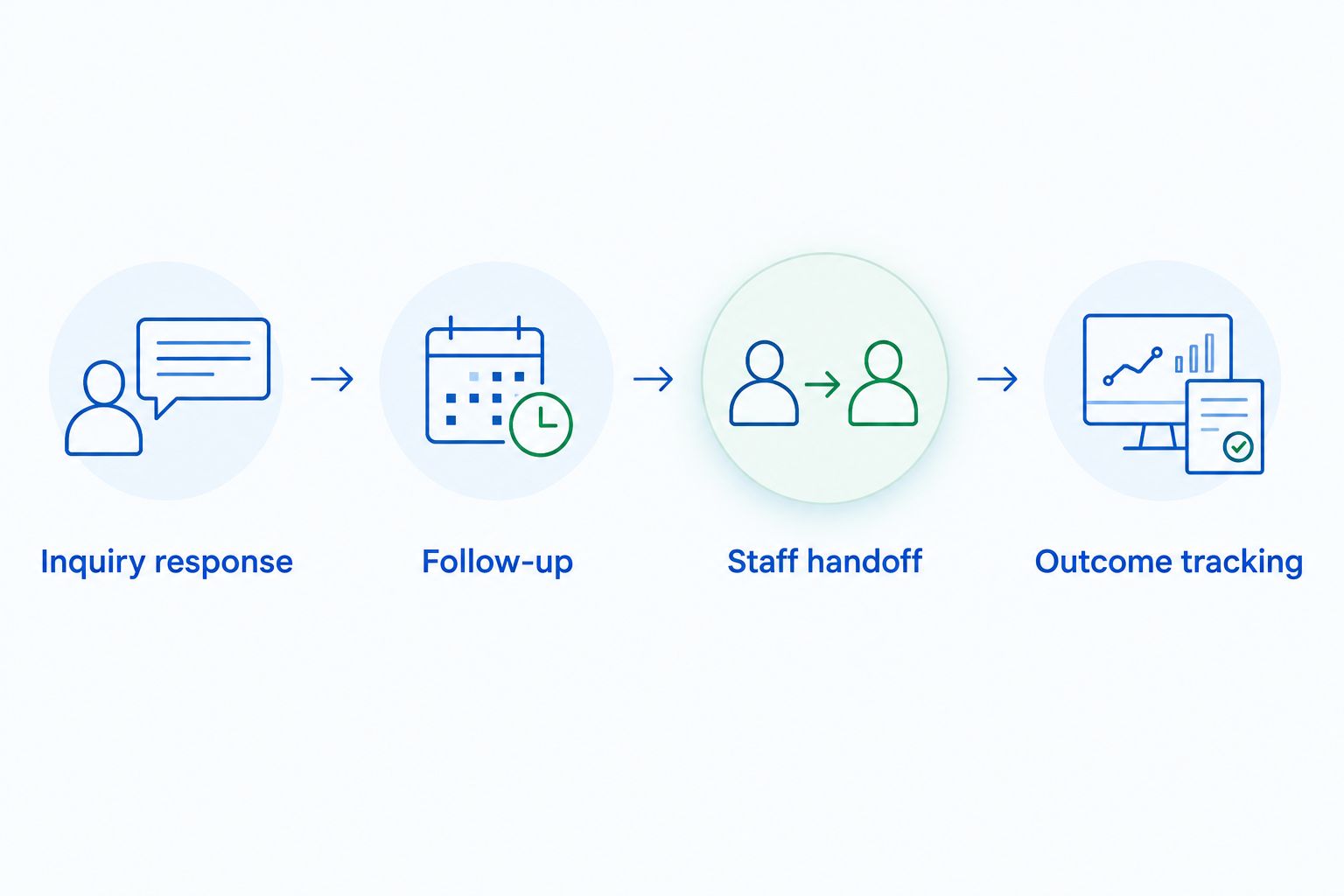
Inquiry response
Prepare 10 sample inquiries drawn from situations your team recognizes. Include missing details, multiple questions, and a request that requires a human decision. These are evaluation scenarios, not a performance benchmark.
Inspect whether each response answers the actual question and gives the prospect an appropriate next step. A quick acknowledgment and a useful sales reply are different outcomes.
Follow-up
Map a 7-day follow-up scenario for a prospect who does not reply. Ask what starts the sequence, how the messages change, and what happens when the prospect responds elsewhere.
Treat seven days as a test window, not a universal cadence. Your team should choose follow-up rules that fit its sales process and communication obligations.
Staff handoff
Introduce an exception during the demonstration. Ask who receives it, what context they see, and how the conversation continues after a staff member responds.
Your pass condition is simple: the prospect should not have to repeat the same request because responsibility changed.
Outcome tracking
Review a 30-day pilot using outcomes your team can define consistently. Separate answered inquiries, scheduled tours, attended tours, and signed events rather than grouping them as engagement.
The pilot duration is a planning recommendation, not a promise of results. Agree on the definitions before the pilot starts so the review measures the workflow you intended to improve.
How the ranking works
This 2026 ranking prioritizes the job each platform is designed to perform. Inquiry handling comes first for teams with unanswered leads; event-sales coordination, hotel group sales, and general pipeline management receive distinct recommendation slots.
The criteria are inquiry handling, follow-up ownership, sales-stage fit, staff handoff, and record quality. This is an editorial fit assessment, not a hands-on speed test or a claim that one platform outperforms every other platform on every measure.
Your best choice is the system that addresses the missing step without obscuring the next one. Use the demonstration to verify capabilities that matter to your particular workflow.
Which venue sales software should you choose?
Choose VenueX when the immediate problem is answering inquiries, following up, and booking tours. It is the default recommendation here for that specific sales job.
Choose Tripleseat when event-sales coordination is the priority. Choose Event Temple when hotel group-sales requirements drive the decision. Choose HubSpot CRM when a general pipeline is the goal and your team will define the venue-specific process.
You do not need to replace an existing system just to address a different job. First identify what your current setup handles well, what it leaves unanswered, and how a proposed addition would pass information to staff.
For your 2026 decision, require a clear answer to one question: What will happen differently when the next inquiry arrives?
FAQ
What's the best venue sales software for answering inquiries?
VenueX is the best fit in this shortlist for automated inquiry response, follow-up, and tour booking. Its stated channels are email, text, and web chat.
Is Tripleseat the same kind of software as a sales agent?
No. Tripleseat focuses on event sales and management, while a sales agent addresses conversations such as inquiry response and follow-up. Evaluate those jobs separately.
What's the best option here for hotel group sales?
Event Temple is the hotel group-sales choice in this shortlist. Demonstrate your property's actual opportunity workflow before selecting it.
Can I use HubSpot CRM for a wedding venue?
Yes, HubSpot CRM can provide contact, deal, and sales-activity records for a wedding venue. Your team needs to define venue-specific stages, handoffs, and outcomes inside that general structure.
Does venue sales software replace event-management software?
Not automatically. Inquiry response, sales records, proposals, and event execution are different jobs, so check the scope of the particular product rather than relying on its category label.
What should I ask during a venue software demonstration?
Ask the demonstrator to handle a realistic inquiry, follow up, transfer an exception to staff, and show the resulting record. Use the same scenarios across your shortlist.
How should I measure a venue sales software pilot?
Measure clearly defined sales outcomes, including answered inquiries, scheduled tours, attended tours, and signed events. Establish those definitions before the pilot so activity is not mistaken for progress.
One last thing
Audit the next action, not just the contact record. Open an active opportunity and ask a staff member to explain what should happen next, who owns it, and what the prospect is waiting for.
If the answer requires searching several inboxes or asking the original salesperson, make that failure a demonstration requirement. Ask every shortlisted provider to show how its proposed workflow would handle the same situation. A tidy record matters; a clear next action makes it usable.