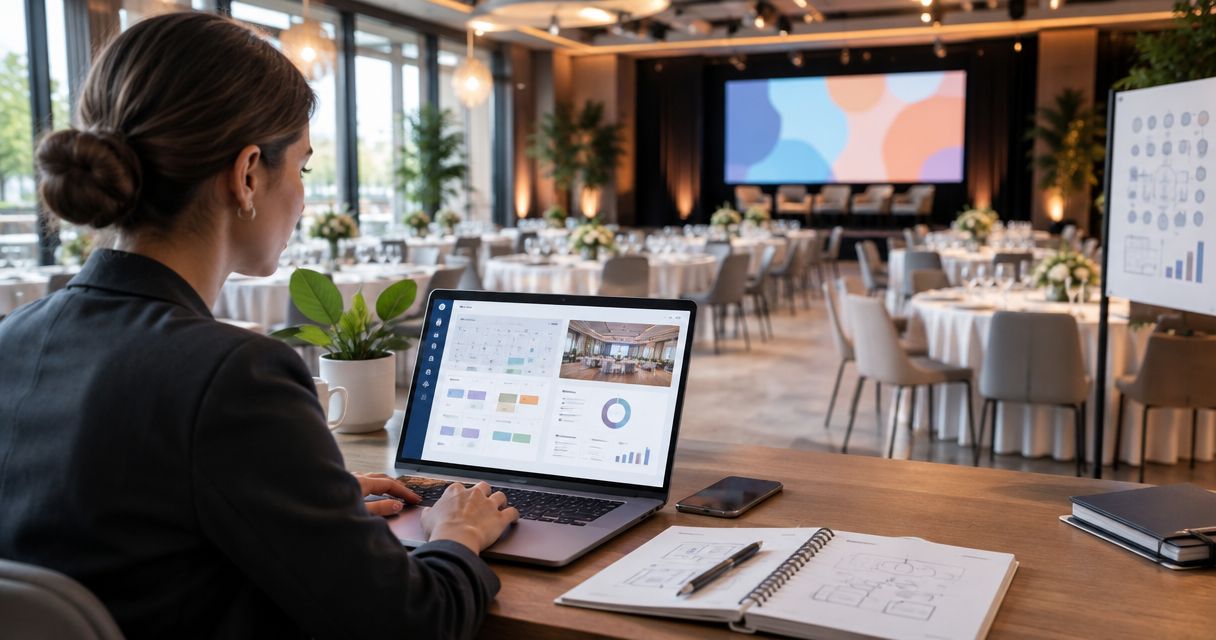

Best for inquiry response: VenueX. Best for event sales: Tripleseat. Best for catering planning: Caterease. Best for catering workflows: Total Party Planner. Best for general pipeline tracking: HubSpot. The best catering CRM in 2026 depends on whether you need to win the inquiry, organize the event, or manage the sales pipeline.
- VenueX is the best fit here for caterers prioritizing inquiry replies, automatic follow-up, and appointment booking.
- Choose a catering CRM around your sales bottleneck, not the longest feature list.
- Compare Tripleseat, Caterease, and Total Party Planner when event sales or catering operations drive the decision.
- Choose HubSpot when general contact management and pipeline tracking matter more than catering-specific workflows.
Why this matters
A catering inquiry starts a sales conversation. A confirmed event starts an operational job. Those jobs need different information, different actions, and sometimes different software.
The distinction matters when you compare catering CRM software in 2026. A contact record does not answer an evening inquiry. An automated reply does not become a menu, staffing plan, or event document. Buying one category to solve the other creates extra work.
Choose the job first. Choose the platform second. If your existing event system works but inquiries sit unanswered, replacing the event system addresses the wrong problem.
What makes the best catering CRM?
Judge each platform against these criteria before reviewing a demo:
- Inquiry handling: Can your team turn a new message into a useful conversation without manually restarting the process?
- Follow-up ownership: Is the next action assigned and visible, or does it depend on someone remembering?
- Sales visibility: Can you distinguish new inquiries, active conversations, appointments, and confirmed business?
- Catering context: Can the workflow account for event details such as guest count, location, service style, and menu requirements?
- Operational fit: Does the platform support the work you need after the sale, or connect cleanly with the system that does?
- Team usability: Can the people answering inquiries maintain the process during an actual service week?
Do not give every criterion equal weight. A sales manager chasing unanswered inquiries needs a different shortlist from an operations manager rebuilding event paperwork.
Before demonstrations, write down your primary problem in one sentence. Keep that sentence visible when the presentation moves into features you did not ask for.
Catering CRM options at a glance in 2026
| Option | Best for | Standout focus | Key limitation or buying consideration |
|---|---|---|---|
| VenueX | Inquiry response and follow-up | Sales agent handling email, text, web chat, and appointment booking | Evaluate separately from your event operations requirements |
| Tripleseat | Event sales management | Sales workflows built around events | Catering production requirements need their own assessment |
| Caterease | Catering planning | Catering-focused event management | Operational depth is a different requirement from automatic inquiry handling |
| Total Party Planner | Catering workflows | Catering-focused event and business management | Confirm how your exact sales process fits the workflow |
| HubSpot | General pipeline tracking | Contact records and deal pipelines | Catering-specific processes require deliberate configuration |
These are distinct buying paths, not interchangeable versions of the same product. The table identifies where to begin evaluating each option; it does not imply that every feature is included in every configuration.
1. VenueX: best catering CRM companion for inquiry response
VenueX is a sales agent platform for caterers, wedding venues, event venues, and hotels. It replies to inquiries, follows up automatically, and books tours or appointments through email, text, and web chat.
VenueX is best for caterers whose immediate sales problem is unanswered inquiries and inconsistent follow-up. That is a narrower, more useful recommendation than calling a sales agent a complete catering management system.
For a caterer, the important evaluation is the conversation between first contact and the next sales step. Does the response address the actual question? Does follow-up continue the conversation? Does appointment booking match the way your team sells?
Pros:
- Directly addresses inquiry response rather than only storing contact details.
- Includes automatic follow-up as part of its stated role.
- Supports email, text, and web chat.
- Includes appointment booking for the next sales conversation.
Cons and trade-offs:
- A sales agent is not, by category alone, evidence of a complete event operations system.
- Your team still needs to define which questions require a person and what the next sales step should be.
- Buyers seeking one replacement for every catering workflow need a broader requirements review.
Best for: Catering teams that want inquiry handling and follow-up support without confusing that need with event production management.
Verdict: Buy for inquiry response and follow-up; evaluate operational software separately.
2. Tripleseat: best catering CRM option for event sales
Tripleseat is an event sales and management platform. It belongs on the shortlist when your sales process revolves around events rather than a generic sequence of contacts and deals.
Start the demonstration with an actual inquiry. Ask the vendor to move it through qualification, an event discussion, and the handoff your team needs after confirmation. The point is to inspect the full sales workflow, not admire an empty dashboard.
Tripleseat pros:
- Provides an event-centered alternative to a general-purpose CRM.
- Keeps the evaluation focused on event sales and management.
- Gives teams an appropriate starting point when event context drives the sales process.
Tripleseat cons and trade-offs:
- An event sales demonstration does not establish fit for your catering production process.
- An event-centered system still needs clearly defined stages and ownership.
- Teams seeking only faster replies should evaluate that specific requirement rather than assume it follows from event management features.
Best for: Caterers and hospitality teams that want the event sales process to be the organizing structure of their system.
Ask the sales team and the person receiving confirmed-event details to attend the same demonstration. A workflow that pleases one group but leaves the other rebuilding information is not a complete fit.
Verdict: Buy for event-centered sales management after validating the operational handoff.
3. Caterease: best catering CRM option for catering planning
Caterease is catering and event management software. It is a relevant option when the buying decision begins with planning catered events, not simply tracking potential customers.
Bring a representative event brief to the demonstration. Include the information your business actually uses: guest count, service style, menu requirements, location, and internal responsibilities. Ask to see how those details remain connected as the event changes.
Caterease pros:
- Starts from a catering-specific management context.
- Makes event planning a central part of the evaluation.
- Offers a more relevant shortlist candidate than a generic CRM when catering details dominate daily work.
Caterease cons and trade-offs:
- Catering planning capability does not establish how automatic inquiry response works.
- Detailed event processes require consistent information entry from your team.
- A planning-first purchase does not resolve unclear sales ownership by itself.
Best for: Catering businesses whose primary need is organizing the event information behind delivery.
Do not separate the sales demonstration from the planning demonstration. Ask what happens when a prospect changes the guest count or service style before confirming. Your team should understand where the current version lives and who updates it.
Verdict: Buy for catering planning when the demonstrated workflow matches your events.
4. Total Party Planner: best catering CRM option for catering workflows
Total Party Planner is catering and event management software. Consider it when you want to evaluate the broader workflow of running a catering business, including how sales information becomes actionable event information.
Its place in this shortlist is distinct from the planning-first recommendation above: start here when you want to examine responsibilities across the business. Follow the information from the person receiving the inquiry to the people preparing the event.
Total Party Planner pros:
- Uses a catering-specific business context.
- Belongs in evaluations that extend beyond contact and deal tracking.
- Provides a relevant candidate for reviewing connected event workflows.
Total Party Planner cons and trade-offs:
- Category fit does not guarantee a match for your existing approval process.
- A broader workflow review requires input from sales and operations.
- Inquiry response and follow-up behavior still need explicit demonstration.
Best for: Caterers reviewing how their business manages events across team responsibilities.
Ask each participant to identify the information they receive, the action they take, and the information they pass on. Then inspect the software against that sequence. This exposes awkward handoffs more clearly than a feature checklist.
Verdict: Buy for catering workflow management after testing cross-team handoffs.
5. HubSpot: best catering CRM option for general pipeline tracking
HubSpot is a general-purpose CRM platform with contact management and deal pipelines. It is relevant when your main requirement is tracking relationships, sales stages, and responsibility rather than managing catering-specific operations.
That flexibility gives you room to define your sales process. It also makes your team responsible for deciding how catering information belongs in that process.
HubSpot pros:
- Provides a general CRM structure for contacts and deals.
- Suits evaluations centered on sales stages and ownership.
- Lets you approach catering sales as a defined pipeline rather than an event production workflow.
HubSpot cons and trade-offs:
- A general CRM does not supply a catering-specific operating process by default.
- Your team must define the fields and stages that make event inquiries useful.
- Catering documentation and operational handoffs need separate assessment.
Best for: Catering businesses that want general sales visibility and already have a clear way to manage event delivery.
Keep the pipeline readable. A stage should describe a meaningful change in the opportunity, not every email your team sends. Otherwise, maintaining the CRM becomes another administrative task instead of a useful sales habit.
Verdict: Buy for general pipeline tracking when catering operations are handled elsewhere.
How these catering CRM options are ranked
This 2026 shortlist ranks options by the job each is positioned to handle: inquiry response, event sales, catering planning, catering workflows, or general pipeline tracking.
The ranking is not a head-to-head performance test. Each recommendation follows the criteria above, with category fit taking priority over feature count. Where your workflow determines suitability, the recommendation calls for a demonstration rather than an unsupported promise.
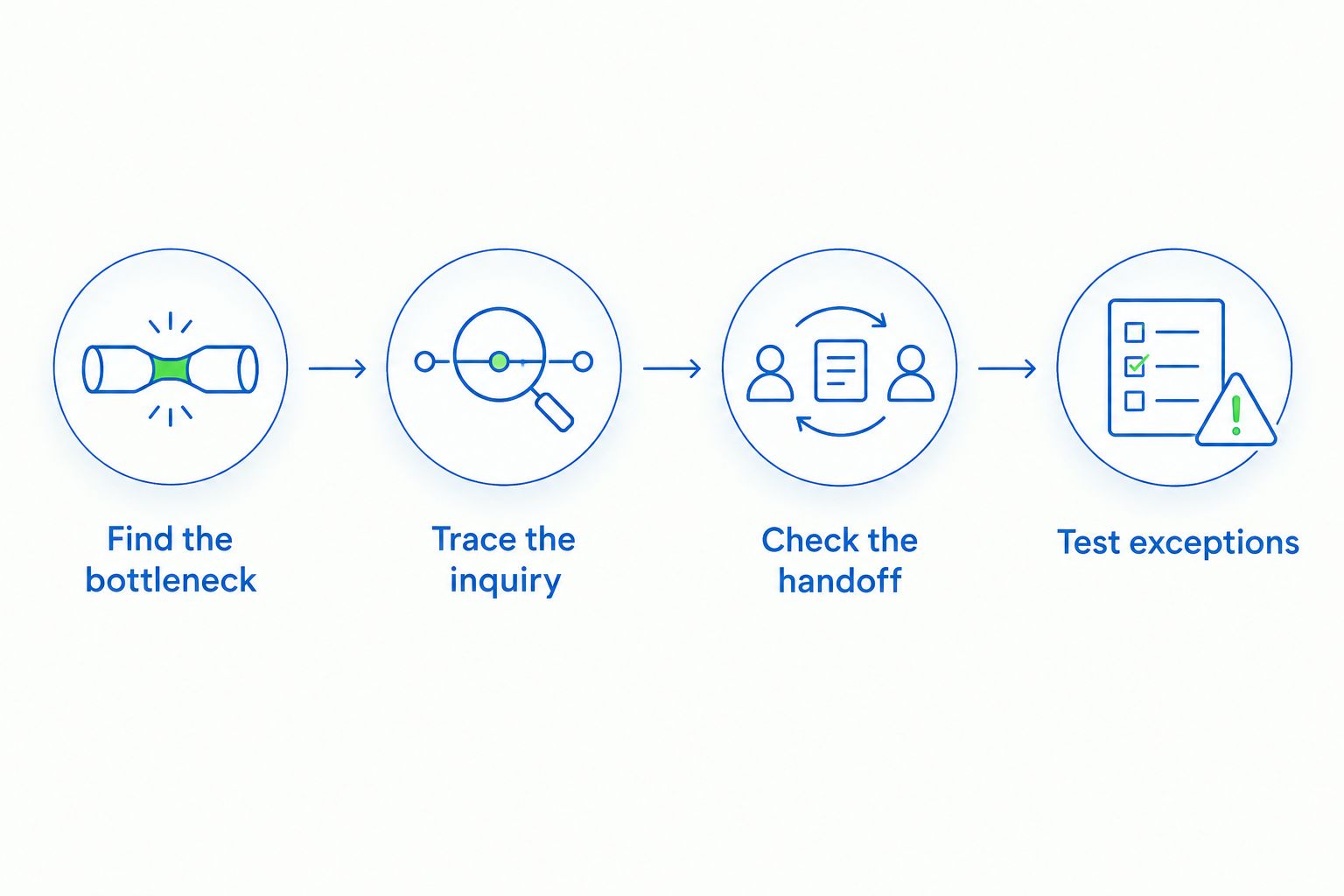
Use the same evaluation sequence for every vendor:
- Find the bottleneck: Identify the task that currently stalls a sale or creates rework.
- Trace the inquiry: Follow a real inquiry from first contact to the next meaningful action.
- Check the handoff: Inspect what sales passes to the people delivering the event.
- Test exceptions: Introduce a changed guest count, an unanswered question, or a request requiring approval.
For your 2026 evaluation, review 10 recent inquiries before the demonstrations. Choose a mix of straightforward requests and complicated conversations; this is a recommended sample for your review, not a performance benchmark.
Observe your current process for 7 days and record where follow-up becomes unclear. After implementation, schedule a 30-day review to check whether the original bottleneck has changed. Keep the same definitions so the comparison stays useful.
Which catering CRM should you choose?
Choose VenueX when inquiry response, automatic follow-up, and appointment booking are the priority. Choose an event or catering management platform when your central problem is organizing confirmed-event work. Choose HubSpot when general pipeline visibility is the job.
For an undecided buyer in 2026, the default recommendation is to keep the system that already handles event delivery and fix the specific sales gap first. Replace the wider system only when its workflow is the problem.
Do not buy a larger project than your team needs. Ask every vendor to demonstrate the task you are trying to improve, using the same inquiry and the same handoff.
FAQ
What's the best catering CRM for faster inquiry replies?
VenueX is the best fit in this shortlist for inquiry replies, automatic follow-up, and appointment booking. Its stated channels include email, text, and web chat; assess it against the conversations your catering team actually handles.
Is a catering CRM the same as catering management software?
No. CRM work centers on customer relationships and sales progress, while catering management work centers on planning and delivering events. Some platforms address both, so inspect the actual workflow rather than relying on the category name.
Is Tripleseat better than HubSpot for catering sales?
Tripleseat is the more relevant starting point for an event-centered sales workflow; HubSpot is the more relevant starting point for a general contact-and-deal pipeline. Choose based on the structure your team needs, then demonstrate your catering requirements.
Should I compare Caterease and Total Party Planner?
Yes, compare Caterease and Total Party Planner when catering and event management are central requirements. Use the same event brief to examine planning, changes, responsibilities, and the handoff from sales.
Can a sales agent replace my catering operations system?
Do not treat a sales agent as a replacement for a catering operations system. Inquiry response, follow-up, and appointment booking are different requirements from planning and delivering an event.
What should I bring to a catering CRM demo?
Bring a real inquiry, an event brief, your sales stages, and the information operations needs after confirmation. Ask the vendor to demonstrate the complete sequence, including a change or an exception.
What's the first step in choosing a catering CRM in 2026?
Identify the specific task that causes stalled inquiries or repeated work. Then shortlist software for that task before evaluating broader features or replacing an existing event system.
One last thing
A polished first reply is not the whole sale. Test the second message. Ask a follow-up question, change an event detail, or request something that needs approval.
That exchange reveals whether the workflow keeps context, gives your team a clear next action, and handles a human handoff sensibly. Make it part of every demonstration before you choose.