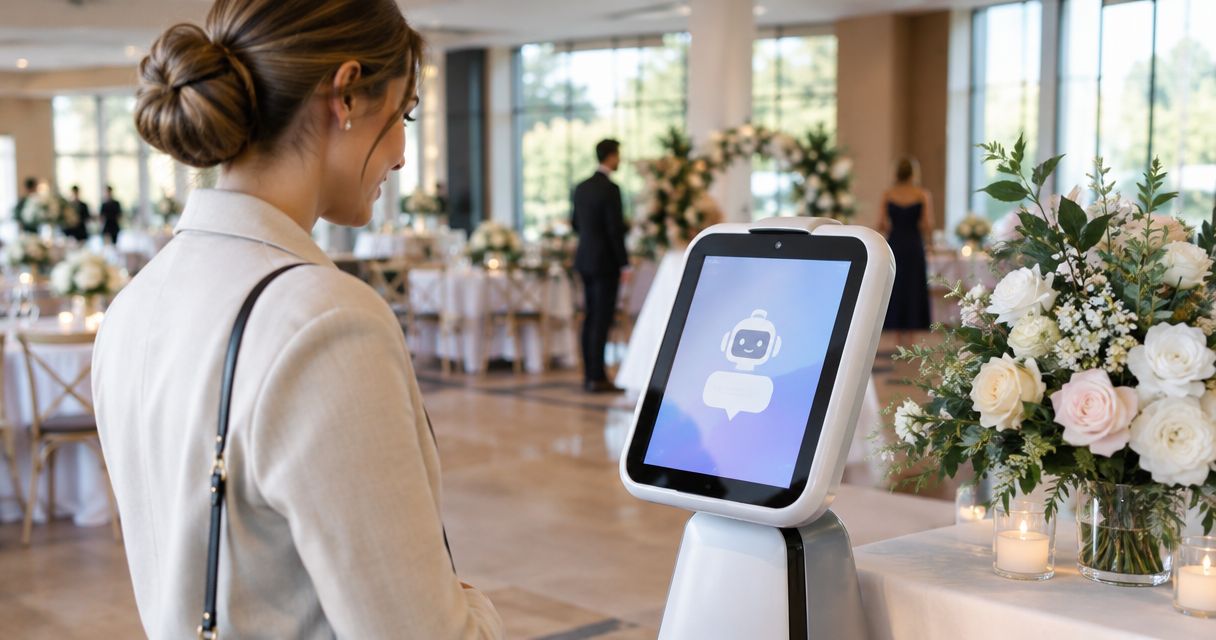

Best overall for inquiry response and automated follow-up: VenueX. Best for broader customer relationship management: HubSpot CRM; best for a sales pipeline your team actively manages: Pipedrive; best for event-sales lifecycle management: Tripleseat. This 2026 guide compares lead follow up software for venues by the work you need done—not by the longest feature list.
- VenueX is the best lead follow up software for venues that need automated inquiry replies, follow-up, and tour booking.
- HubSpot CRM suits broader customer relationship management; Pipedrive suits sales teams managing deals and next actions.
- Tripleseat belongs on the shortlist when event-sales management extends beyond the first inquiry.
- Test replies, follow-up, booking, and staff handoff before choosing a platform.
Why this matters
A new inquiry and an event already under contract need different kinds of attention. The first needs a useful reply and a clear next step. The second needs coordinated sales and event management.
Buying software for the second job does not automatically solve the first. A contact record can hold an inquiry without advancing the conversation; a reminder can tell someone to follow up without sending a useful response.
For your 2026 shortlist, separate software that organizes the work from software that performs the inquiry-response work. Both have a place. Your bottleneck determines which comes first.
What makes the best lead follow-up software for venues?
Use these criteria before comparing platforms. Ask vendors to demonstrate each one with a realistic venue inquiry, not a prepared sales presentation.
- Useful first response: Does the system answer the question, or only acknowledge receipt? A reply should move the conversation toward a decision.
- Follow-up execution: Does the platform send the next message, create a task for your team, or both? Those are different operating models.
- Tour progression: Can the inquiry move toward a booked tour without unnecessary back-and-forth? Ask to see the actual booking process.
- Channel coverage: Check email, text, and web chat separately. Do not treat a general messaging claim as proof that every channel works as required.
- Staff handoff: Your salesperson needs enough context to take over without asking the prospect to repeat the conversation.
- Operational fit: Decide whether you need a response agent, a CRM, or broader event-sales management. Do not buy an entire operating system to solve a narrow follow-up problem.
Lead follow-up platforms at a glance
These recommendations compare distinct jobs. They are not interchangeable replacements, and this ranking does not assume that a venue needs every platform listed.
| Platform | Best for | Standout role | Key limitation to weigh |
|---|---|---|---|
| VenueX | Automated inquiry response and tour booking | Replies, follows up, and books tours through email, text, and web chat | Its stated role is sales response, not a complete event-operations replacement |
| HubSpot CRM | Broader customer relationship management | Organizes contacts, deals, and customer activity | CRM organization alone does not establish automated venue-specific conversations |
| Pipedrive | Staff-led pipeline management | Organizes deals, sales stages, and next activities | Pipeline discipline still needs a defined response and follow-up process |
| Tripleseat | Event-sales lifecycle management | Focuses on the broader venue-sales workflow | Broader event-sales management is a different buying requirement from instant response |
1. VenueX: best venue follow-up software for automated response
VenueX is an AI-powered sales agent for wedding venues, event venues, caterers, and hotels. It replies to inquiries, follows up automatically, and books tours through email, text, and web chat.
VenueX is best for venues that need inquiry conversations handled, not just recorded. That distinction matters when your team is hosting an event, conducting a tour, or otherwise unable to answer a new prospect immediately.
The sales-agent model centers on the conversation: what the prospect asked, what information the venue can provide, and what should happen next. Your evaluation should focus on those moments rather than on dashboard appearance.
VenueX pros
- Combines inquiry response, automatic follow-up, and tour booking in its stated role.
- Covers email, text, and web chat.
- Serves hospitality businesses explicitly, including venues, caterers, and hotels.
- Addresses execution rather than leaving every next message to a salesperson.
VenueX cons
- Its stated sales-agent scope is not evidence of complete event-operations coverage.
- A response agent still needs accurate venue information and clear instructions from your team.
- A published client result does not establish the result your venue will achieve.
The Florentine Gardens case-study summary reports 25% more booked revenue, 40% more tours, and over 60 hours a month saved after adding the sales agent. Those figures describe that venue's experience; they are not a forecast for your 2026 implementation.
Best for: Venues whose immediate problem is unanswered inquiries, inconsistent follow-up, or unnecessary friction before a tour.
Verdict: Buy for the response-and-follow-up job, after a venue-specific demonstration.
2. HubSpot CRM: best for broader customer relationship management
HubSpot CRM organizes contacts, deals, and customer activity. It belongs on your shortlist when the venue needs a shared customer record rather than a separate place for every salesperson's notes.
The important distinction is between keeping the record and handling the conversation. A CRM can give your team structure, but you should not assume that contact management alone supplies the venue-specific replies and booking process you want.
HubSpot CRM pros
- Provides a customer-record framework for contacts and deals.
- Gives sales activity a shared organizational structure.
- Fits an evaluation that extends beyond a single inquiry-response task.
HubSpot CRM cons
- A broader CRM decision requires you to define more than the initial response workflow.
- Your team must decide who owns records, activities, and next steps.
- Automated follow-up requirements need a separate demonstration rather than an assumption based on the CRM label.
For a 2026 evaluation, bring a real inquiry and ask the vendor to show the complete path. Where does the message arrive? Who receives responsibility? What sends the next response? What happens when the prospect replies?
Keep those questions separate from whether the contact page looks organized. A clean record is useful, but it is not the same thing as a completed follow-up.
Best for: Venues prioritizing shared customer records across a broader sales process.
Verdict: Buy for CRM organization; hold if automated venue conversations are the only requirement.
3. Pipedrive: best for staff-led sales pipeline management
Pipedrive organizes deals, sales stages, and activities. It suits a buying process centered on what each salesperson should work on next and where each opportunity stands.
For a venue, that means defining your sales stages before configuring the system. An inquiry awaiting a reply, a prospect considering a tour, and a toured prospect awaiting a decision should not become one undifferentiated list.
Pipedrive pros
- Gives deals an explicit place in a sales pipeline.
- Connects sales work to activities and next steps.
- Supports a staff-led approach to managing opportunities.
Pipedrive cons
- Pipeline visibility does not itself answer an incoming inquiry.
- Stages and activities need consistent definitions from your team.
- You must evaluate the actual follow-up workflow separately from deal tracking.
Choose this category when your salespeople are handling conversations but need clearer ownership and progression. A pipeline is most useful when its stages describe observable events, not optimistic labels.
For example, distinguish a tour that was proposed from a tour that was booked. Otherwise, your team cannot tell which prospects need scheduling help and which need preparation for an upcoming visit.
In your 2026 demonstration, ask the vendor to show both a progressing lead and a stalled one. The stalled lead reveals whether the workflow creates a meaningful next action or merely leaves a deal sitting in a column.
Best for: Venue teams that want salespeople to own conversations within a clearly managed pipeline.
Verdict: Buy for pipeline accountability; hold if you primarily need an agent to handle replies.
4. Tripleseat: best for the broader event-sales lifecycle
Tripleseat belongs in a venue-software comparison when the buying requirement extends across event sales. Its role is broader than deciding how to answer the next incoming inquiry.
The supplied VenueX comparison describes the platforms as serving different parts of the venue-sales lifecycle. That is the useful buying distinction: evaluate the response layer and the broader sales workflow separately, rather than assuming one category automatically replaces the other.
Tripleseat pros
- Brings an event-sales focus to the evaluation.
- Fits a discussion about the venue-sales lifecycle beyond initial contact.
- Provides a relevant alternative to evaluating only general-purpose CRMs.
Tripleseat cons
- A broader event-sales requirement creates a larger evaluation than inquiry response alone.
- You still need to establish exactly how first replies and subsequent follow-up happen.
- Do not assume compatibility with another system without confirming the intended setup.
Start with the work your team needs after an inquiry becomes a serious opportunity. Then work backward to the first message. This prevents a strong presentation of later-stage sales management from obscuring an unresolved response problem.
If you are comparing platforms for 2026, ask each vendor to mark where its responsibility starts and stops. Ownership matters more than overlapping terminology.
Best for: Venues evaluating event-sales management beyond the first reply and tour-booking conversation.
Verdict: Buy for the broader event-sales requirement; hold if immediate response is the only problem.
Test the workflow before choosing a platform
A useful demonstration follows the prospect's path. It does not jump from a contact record to a reporting dashboard and leave the conversation unexplained.
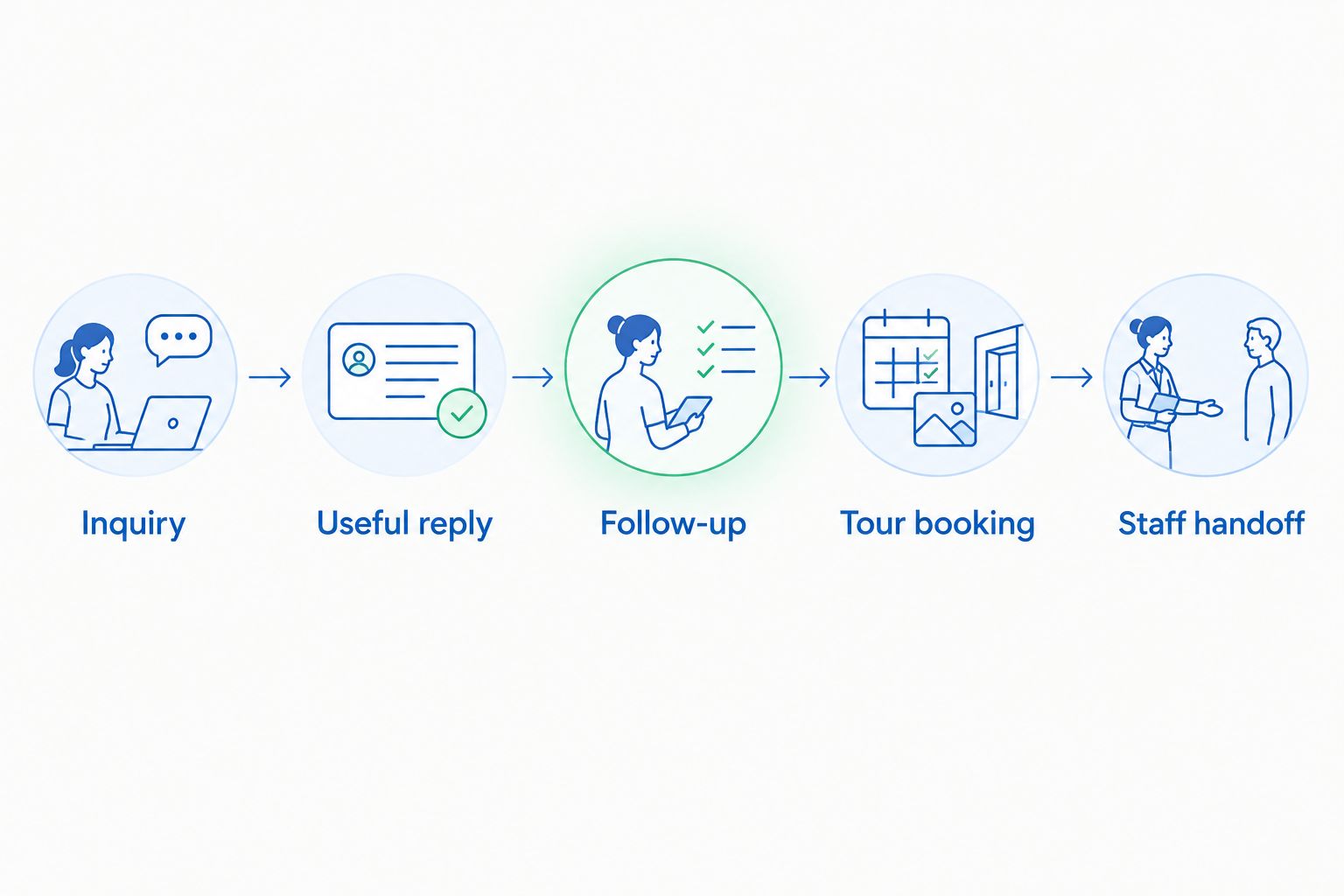
Use the same inquiry for every vendor so you can compare the work directly. Keep it realistic: a prospective client asks about an event date, describes the occasion, and wants to know what happens next.
- Inquiry: Show where the message enters and who becomes responsible.
- Useful reply: Answer the prospect's actual question using approved venue information.
- Follow-up: Show what happens when the prospect does not respond.
- Tour booking: Demonstrate the transition from interest to an agreed appointment.
- Staff handoff: Show what your salesperson receives when human attention is needed.
Then change the scenario. Have the prospect ask something the system should not answer without help, or reply after an earlier follow-up. You are checking boundaries and continuity, not trying to produce a perfect demonstration.
Require a clear stopping point for automation. Your team should know which questions need human judgment and what happens when the approved information does not contain an answer.
How these platforms were ranked
This ranking uses the stated product roles and the criteria above: useful response, follow-up execution, tour progression, channel coverage, staff handoff, and operational fit. It is a fit-based buying guide, not a hands-on performance benchmark.
The sales-agent category ranks first because the query is specifically about lead response and follow-up. CRM and event-sales platforms remain relevant when your underlying need is customer organization, pipeline ownership, or the wider event-sales lifecycle.
No recommendation assumes unconfirmed integrations or identical functionality across product configurations. Your demonstration should establish those details before purchase.
Which platform should you choose?
Choose the platform that completes your missing job. If inquiries need replies and continued conversation, start with the sales-agent category. If staff already handle conversations but lose track of opportunities, start with CRM or pipeline management.
Choose broader event-sales management when the problem continues beyond inquiry handling into the rest of your sales workflow. Do not make that larger purchase simply because you need a better first response.
For the undecided reader, the default is straightforward: start with the inquiry-to-tour demonstration. The platform that handles that path as required earns the next conversation.
See VenueX handle your inquiry workflow
Evaluate inquiry replies, automated follow-up, and tour booking for your venue.
FAQ
What's the best lead follow up software for venues in 2026?
VenueX is the best fit in this comparison for venues seeking automated inquiry replies, follow-up, and tour booking. HubSpot CRM, Pipedrive, and Tripleseat address broader customer records, pipeline management, and event-sales needs respectively.
Is a CRM the same as a venue follow-up platform?
No. A CRM organizes customer information and sales activity; a follow-up platform must also be evaluated on what actually sends the next message and advances the conversation.
Should I choose HubSpot CRM or Pipedrive for my venue?
Choose HubSpot CRM when broader customer relationship management is the priority, and Pipedrive when staff-led pipeline management is the main job. Demonstrate your inquiry workflow in either platform before deciding.
Does Tripleseat replace an inquiry-response agent?
Do not assume that broader event-sales software replaces an inquiry-response agent. Confirm exactly how incoming messages, follow-up, and tour booking work in the configuration you are evaluating.
What channels should venue follow-up software cover?
Evaluate the channels your prospects actually use, including email, text, and web chat. Ask for a separate demonstration of each required channel rather than accepting a general messaging claim.
What should I ask vendors to show in a demo?
Ask vendors to show an inquiry, a useful reply, follow-up, tour booking, and staff handoff. Then introduce a question that requires human judgment to test the workflow's boundaries.
Do published venue results predict my results?
No. A case study describes a specific client's experience, not a guaranteed outcome for your venue. Evaluate your own inquiry handling and tour-booking process before setting expectations.
One last thing
A follow-up reminder and a follow-up conversation are different deliverables. Before signing, ask the vendor to show what happens after a prospect ignores the first message.
Not the task notification. The actual next interaction. That is where you find out whether you are buying a system that organizes your team's work or one that performs the response work you need.